Desktop app · macOS & Windows
Give Codex and ChatGPTa look of their own
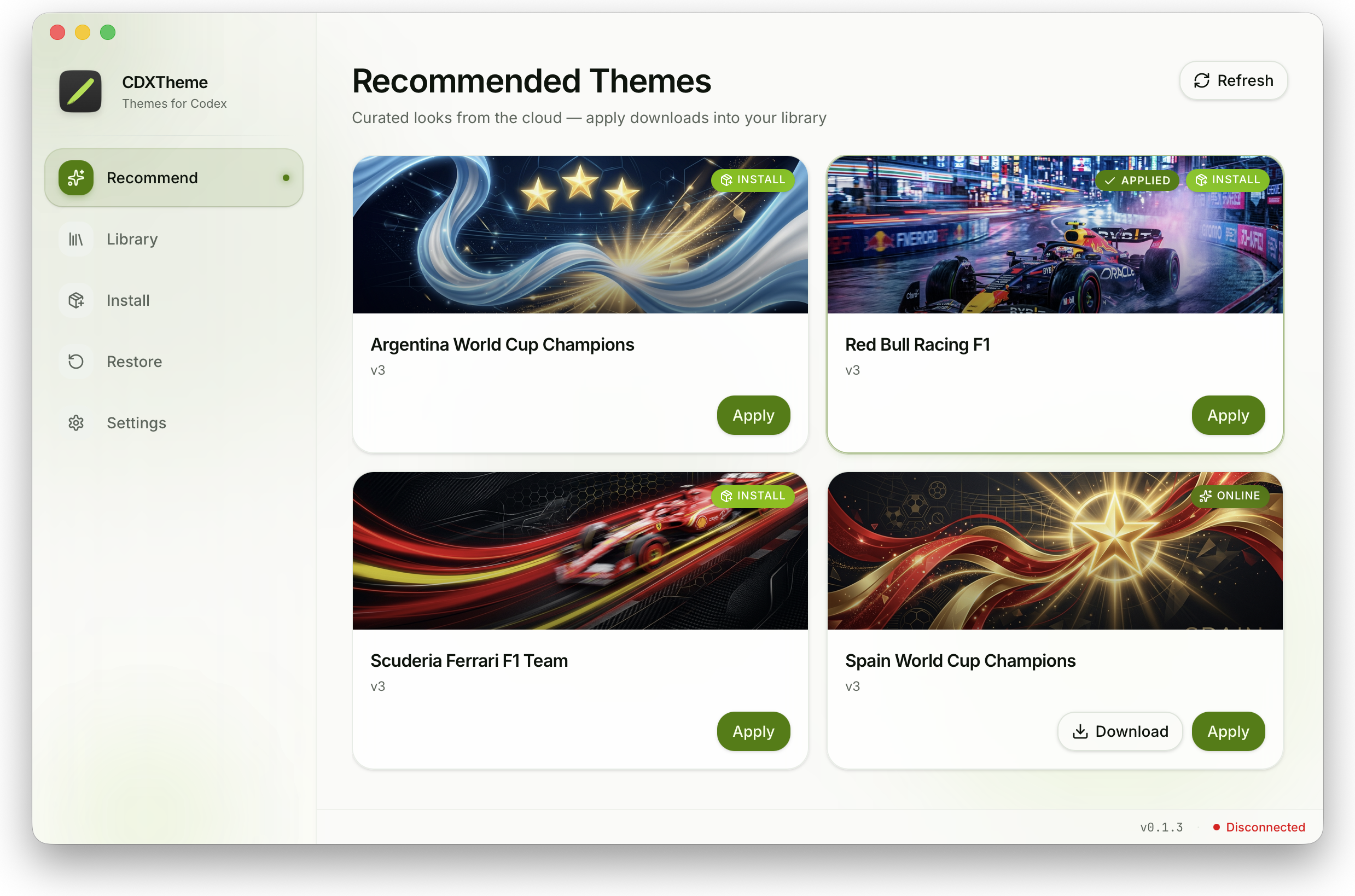
CDXTheme is a lightweight desktop theme manager for Codex / ChatGPT — browse curated skins, apply with one click, and restore anytime.
Available for
- macOS 12+ (Apple Silicon)
- Windows x64
Independent community project — not affiliated with or endorsed by OpenAI.
Everything you need to theme Codex
Small, fast, and local — theming that stays under your control.
Curated theme catalog
Browse recommended cloud themes and install them into your local library with one click.
One-click apply
Update supported appearance keys and inject live CSS skins into the desktop renderer over CDP.
Portable packages
Install .cdxtheme packages up to 30 MB — offline-friendly, no remote CSS allowed.
Safe restore
Revert managed appearance values from a one-time backup and remove injected theme elements.
macOS & Windows
Installers for Apple Silicon Macs and Windows x64. Linux is not currently supported.
Multilingual UI
Use the app in English, Simplified Chinese, Traditional Chinese, Japanese, and more.
How it works
Three steps from download to a fully themed Codex desktop.
- 1
Download & install
Get the latest .dmg (macOS Apple Silicon) or NSIS .exe (Windows x64). Install Codex / ChatGPT desktop first.
- 2
Pick a theme
Open Recommend to browse online and installed themes, or import your own .cdxtheme package.
- 3
Apply instantly
Allow CDXTheme to relaunch the host with CDP when needed. Appearance and live CSS update together.
Download CDXTheme
Free for macOS and Windows. Download the latest installer below.
macOS
12+ · Apple Silicon · .dmg
Windows
x64 · NSIS .exe
Requires the Codex / ChatGPT desktop app. Communication stays local on 127.0.0.1.